
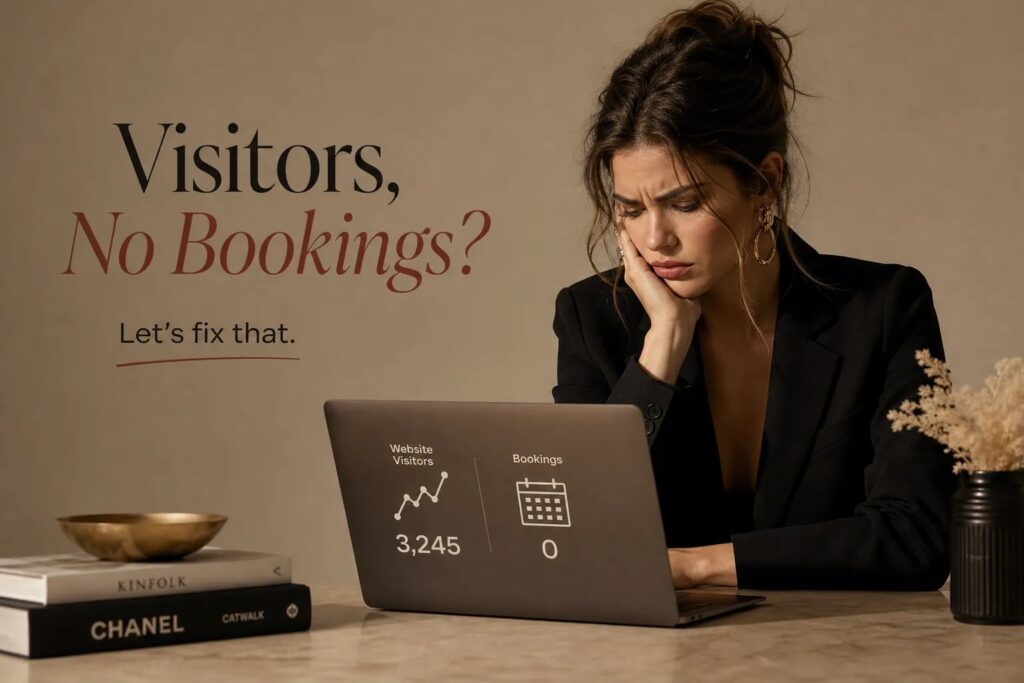
If you’re wondering why visitors are coming to your salon website but not booking appointments, you’re not alone, and the answer is almost always structural, not cosmetic. The most common reasons salon websites fail to convert visitors into booked appointments are weak CTA placement, friction-heavy booking flows, missing trust signals, unclear service menus, and a mobile experience that was never tested on a real phone. The average salon website converts at 2.5–4%; anything below 2% means at least one of these problems is active on your site right now. Getting traffic is only half the equation, and a site that attracts visitors but doesn’t book appointments is essentially a brochure with a hosting bill. Most of the fixes live inside your salon online booking flow, not your homepage design.
When we take on a new client at Fully Booked AI®, the first thing we audit is always conversion, not color palettes or font choices. The revenue impact of a broken booking flow is immediate and measurable. Each section below covers one specific conversion killer, what causes it, and exactly what to fix, so you can stop losing bookings from website traffic you’ve already earned.
Key takeaways
- Benchmark your conversion: A salon website converting below 2% has at least one active structural problem worth diagnosing before spending more on traffic.
- Button placement matters: A persistent sticky header button and a fixed bottom bar on mobile are among the highest-impact changes you can make for no bookings from website traffic.
- Reduce booking friction: The ideal flow runs 3–4 steps from service selection to confirmation; forced account creation is one of the highest drop-off triggers.
- Show prices upfront: Transparent pricing filters out poor-fit prospects and increases the proportion of visitors who complete a booking.
- Test on a real phone: Complete the entire booking journey on a cellular connection as a first-time client before making any other changes.
- Trust signals convert: Google ratings, testimonials, and before-and-after images placed near the primary CTA directly reduce the hesitation that causes visitors to leave without booking.
Why are visitors coming to my salon website but not booking appointments?
Visitors not booking appointments is a structural problem, not a traffic problem. The five conversion killers below account for the overwhelming majority of cases where salon websites generate visits but produce no appointments. Identifying which one is active on your site is the first step toward fixing it.
Is your booking button actually working against you?
Button placement and CTA copy drive more bookings than almost any other change
Button placement is one of the highest-impact changes on a salon website. The highest-converting approach combines a persistent sticky header button on desktop with a fixed bottom bar on mobile, plus contextual booking buttons placed immediately after service descriptions and stylist bios. Redefine Web’s salon website design data reports a 40% click-rate lift from a sticky mobile bottom bar over a header-only button, though this is a practitioner result, not a controlled universal finding. Many salon sites put one button in the navigation and call it done, leaving potential clients without a prompt at the exact moment they decide.
When your CTA copy stalls decisions
CTA copy frequently costs salons bookings without anyone realizing it. Generic labels like “Learn More” or “Contact Us” stall decisions. Specific, action-named labels like “Book Your Color Consult” or “Book with [Stylist Name]” tell the visitor exactly what happens next and which outcome they’re choosing. Add friction-reducing micro-copy beside the button: a price range, next available slot, or whether a deposit is required. That one-line addition answers the visitor’s unspoken hesitation before it becomes a reason to leave, and it’s one of the simplest fixes for salon online booking problems.
Why visitors are abandoning your booking flow mid-way
Forced account creation and form length kill completions
Forced account creation is one of the most significant reasons online booking starts but never finishes. When a first-time client hits a “create an account” screen before they can pick a time slot, many leave immediately. The same pattern applies to forms that ask for information irrelevant to scheduling. The fix is straightforward: reduce the form to the minimum fields needed to confirm the appointment (name, phone or email, and service selection), then make account creation optional or offer it after the booking is confirmed.
Step count and downstream friction
The ideal booking flow runs 3–4 steps from service selection to confirmation; 5 steps is the practical maximum before drop-off risk rises meaningfully. The sequence should go: choose a service, choose a time, enter minimal contact details, then confirm. Downstream friction compounds the problem: error messages that appear only after submission and erase entered data, vague “thank you” pages with no appointment specifics, and booking widgets that stall on mobile connections all create online booking friction that prevents completions. Fix these with inline validation that preserves data, an immediate confirmation with the appointment time and service clearly stated, and a visible phone number fallback for when the online flow breaks.
Are trust signals missing from the decision moment?
Reviews, testimonials, and pricing transparency belong near your CTA
Salon visitors don’t book from an unfamiliar website for the same reason they don’t walk into an unfamiliar salon without checking reviews first. If your Google rating, client testimonials, or before-and-after images are buried in a footer or on a separate reviews page, they aren’t doing any conversion work. High-performing salon sites place trust signals directly beside or below the primary CTA, where they answer the visitor’s hesitation before it becomes a reason to exit.
Pricing transparency functions as a trust signal in the same way. Salons that show prices on service pages often see fewer raw inquiries but a higher proportion of those inquiries convert to completed bookings. Visitors who see the price and stay are pre-qualified; they already accept the salon’s positioning. Use “starting at” or ranges for variable services, state what’s included (consultation, toner, blow-dry), and keep pricing consistent between your website, booking widget, and Google Business Profile. Discrepancies between those three sources undermine trust instantly, and that inconsistency is one of the conversion killers we see most often in our audits.
Is your service menu making people close the tab?
Unclear menus create decision paralysis
Service menus that list only internal salon terminology without plain descriptions, duration, or pricing create decision paralysis. When a first-time client can’t tell which service applies to their hair type or need, they don’t call to ask. They leave. Each service entry should include a one-sentence plain-language description, a duration, a price or range, and a direct booking button right there on the listing.
Structure your menu the way clients think
Structure matters as much as content. Organize services the way clients think, by outcome (fix my color, cut and style, treat my hair), rather than by how salon software categorizes them internally. Group related services, lead with the most-booked options, and remove or consolidate services that rarely get selected. A streamlined, outcome-organized menu reduces time-to-decision and increases the likelihood that a visitor picks a service and hits “book,” rather than getting lost in a list of 40 entries with no clear starting point.
Is your mobile experience the real reason bookings are dropping?
Mobile UX is where most salon booking conversions are won or lost
More than 64% of salon website visitors arrive on mobile devices, according to Zenoti’s salon website design data, which means mobile UX is where most of your conversions are won or lost. The specific errors that appear repeatedly in mobile audits include booking buttons hidden below the fold, tap targets too small or clustered together, pop-ups that obscure the booking widget, and large unoptimized images that push load time past three seconds. Google’s mobile speed research finds that 53% of mobile visits are abandoned when a page takes more than three seconds to load.
One of the highest-impact mobile fixes: a sticky bottom bar
One of the highest-impact mobile fixes is a sticky bottom bar with a persistent “Book Now” button, a straightforward solution to the booking button not being visible on smaller screens. Beyond that, test your own booking flow by completing the entire journey on an actual phone using a cellular connection (not Wi-Fi) as a first-time client with no saved credentials. Count the taps required from the homepage to confirmation. Note every point where the flow stalls, redirects off your salon’s website, or asks for information that feels irrelevant. This one exercise surfaces more salon booking widget issues and conversion problems than any analytics report.
Choosing the right booking widget matters too. The table below compares the most widely used salon booking systems on mobile usability and friction level, both key factors when visitors are not booking appointments despite reaching your site.
| System | Mobile usability | Friction level | Best fit |
|---|---|---|---|
| GlossGenius | Mobile-first design, simple client flow | Very low | Solo stylists and small teams |
| Boulevard | Premium embedded widget, stays on salon site | Very low | Boutique and luxury salons |
| Mangomint | Highly polished, customizable widgets | Very low | Growing or premium salons |
| Square Appointments | Responsive, fits existing Square ecosystem | Low | Salons already using Square POS |
| Fresha | Clean interface, mobile-first booking | Low | Budget-conscious or smaller teams |
| Vagaro | Mobile-responsive, Google and social integrations | Low to medium | Multi-staff salons needing marketing and POS |
| Zenoti | Embedded widget with real-time availability | Medium | Multi-location or enterprise operators |
What to fix first and how to track improvement
Start with no-developer, no-redesign changes
Start with changes that require no developer and no redesign. Add a sticky header booking button if one doesn’t exist. Update CTA copy from generic to action-specific. Add price and duration to your top five services. Place two or three real client testimonials on the homepage within view of the primary CTA. These changes can often be implemented quickly depending on your site and CMS, and they give you a measurable baseline to compare against.
When structural problems require more than tweaks
Some salon websites have structural problems that go beyond a few tweaks. The booking widget redirects to a third-party page that breaks the mobile experience. The site architecture buries service information three clicks deep. The visual design actively works against trust for a premium-positioned salon. These aren’t fix-it-yourself situations. At Fully Booked AI®, we audit and rebuild salon websites with conversion as the primary metric, not aesthetics. Every design decision is evaluated against one question: does this make it easier or harder to book an appointment? For salon owners who want that handled without adding another project to their plate, that’s exactly what we do.
Conversion is an engineering problem, not a design preference
If you’ve been asking why visitors are coming to your salon website but not booking appointments, the five core conversion killers, weak CTA placement, booking flow friction, missing trust signals, unclear service menus, and poor mobile experience, are where to look first. Most salon websites have more than one active problem, and those problems compound each other. Moving from a 1% conversion rate to 3% on 1,000 monthly visitors means 20 more booked appointments per month without spending a dollar more on ads or SEO.
Start with the mobile test and the CTA audit, then work through the list systematically. Track your booking rate before and after each change so you know what’s actually moving the needle. The revenue is already on your site; it’s leaking out through friction points that can be identified and fixed. That’s the work we do at Fully Booked AI®, and it’s where the clearest, fastest return on your digital investment lives.
Related reading: luxury salon website · AI voice agent for salons · salon review strategy
Frequently Asked Questions
How should we measure whether a change actually improves bookings?
Measure effectiveness by tracking your booking rate before and after each change. We recommend recording baseline conversion (bookings divided by visitors) and comparing it after each tweak so you know which changes move the needle.
How quickly will we see results after making fixes?
Results can be immediate and measurable for many fixes that remove booking friction. We note that changes like fixing a broken booking flow or adding a sticky booking button often show an immediate revenue impact, so start with quick wins and monitor bookings.
Do we need a developer or a full redesign to start improving conversions?
You do not always need a developer or full redesign to begin improving bookings. We advise starting with no-developer, no-redesign changes, adding a sticky header/button, updating CTA copy, adding price and duration to top services, and placing a few testimonials, then measure the impact.
Should we rely on analytics reports or test the booking flow on a phone first?
Test the complete booking journey on an actual phone first as a priority. We instruct you to complete the flow on a cellular connection as a first-time client, count taps from homepage to confirmation, and note points where the flow stalls, because this surfaces more practical widget and mobile issues than analytics alone.